
 9 Mins Read
AI Chatbot vs Lead Capture Chatbot: What’s the Difference for B2B Sales?
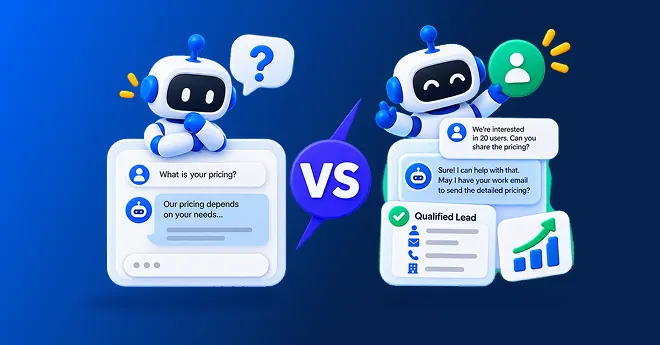
Quick summary Both live in the same chat bubble, but they do very different jobs. An AI chatbot answers questions....

| Quick summary Forms have run websites for decades. AI lead capture is newer and often converts more visitors, but not always. This guide compares website forms vs. AI lead capture on real numbers, shows when each one wins, and explains how to combine both for B2B lead generation. |
A visitor lands on your pricing page. Below the numbers sits a form: name, email, company, phone, message. Ten fields, one submit button, no explanation of what happens next.
Most visitors look at that form the way most people look at a stack of paperwork. They close the tab.
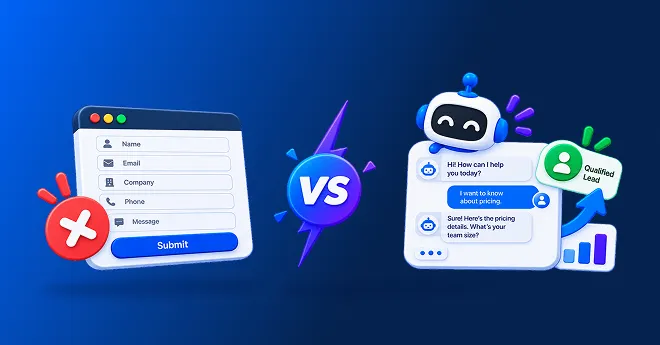
This is not really form vs. chatbot lead generation as a fight to the death. It is a question of friction, timing, and trust. Let’s look at the real numbers, so you can decide what belongs on your site.
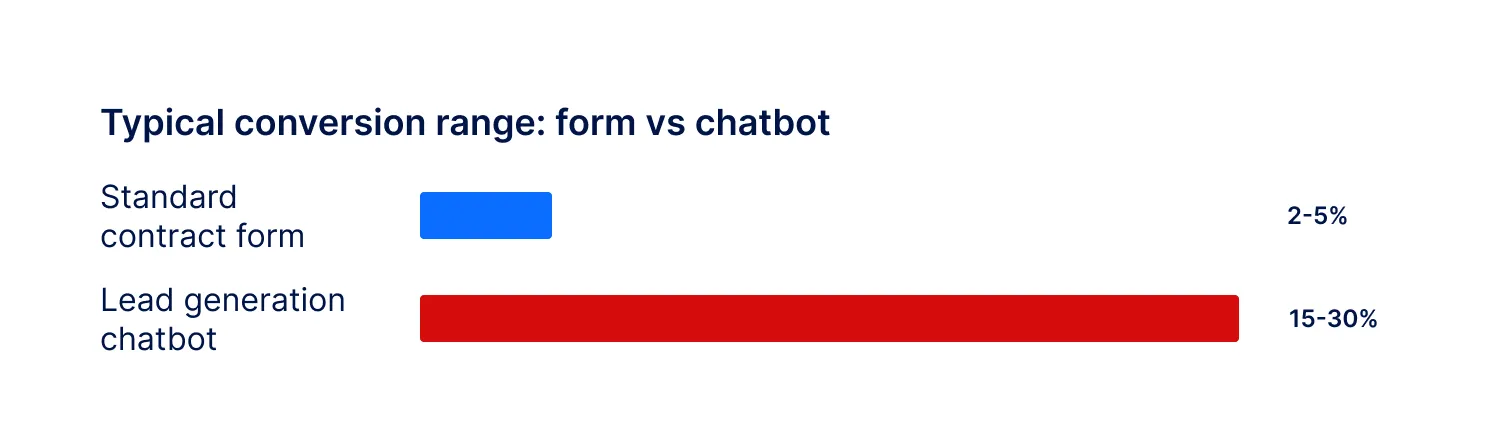
The gap is bigger than most teams expect. A 2026 comparison fromBotnation reports that a standard contact form converts around 2% to 5% of visitors on average, while a well-designed lead generation chatbot often reaches 15% to 30%.
The same source estimates that roughly68% of online forms are abandoned before they are submitted, based on aggregated form abandonment data. A separate usability study from theBaymard Institute found that 22% of users abandon a checkout or form specifically because the process felt too long or complicated.
| Did you know? Not all forms are equally bad. Formstack’s analysis of over 650,000 form submissions, cited by a 2025 forms comparison, found multi-step forms had 25.4% higher completion rates than single-page forms. Breaking a form into steps, whether or not you call it a chatbot, already removes a lot of friction. |
Conversational lead capture flips the order. It helps first, and asks for details as a natural part of the conversation, one question at a time.

This is the honest part most “chatbots are better” articles skip. Forms are not obsolete, and pretending otherwise can cost you leads too.
| Tip Keep a short form for visitors who want to move fast, and add a chatbot for everyone else. You are not choosing one over the other. You are matching the format to the visitor’s stage. |
| What matters | Website form | AI lead capture chatbot |
| Answers a question before asking anything | No | Yes |
| Best for | Visitors who already decided | Visitors who still have questions |
| Feels like effort upfront | Often, yes | Less, one step at a time |
| Works well on mobile | Can be awkward | Designed for it |
| Adapts questions to answers given | Rarely | Yes |
| Scores or qualifies the lead | No, on its own | Yes, built in |
| Works after hours | Sits and waits either way | Actively engages, any hour |
| Setup effort | Simple for short forms | Needs training on your content |
Yes, regardless of which format captured it. Harvard Business Review analyzed 1.25 million leads and found that firms who contacted a lead within an hour werenearly seven times as likely to qualify it as those who waited one hour longer. Botnation’s comparison cites separate MIT and InsideSales.com research showing that leads contacted within five minutes have 21 times higher odds of qualifying than those contacted after thirty minutes.

A chatbot has an advantage here beyond conversion rate: it can start qualifying the moment a visitor engages, so the countdown to “contacted within five minutes” essentially starts at zero.

Match the format to visitor intent, not to trend. Use this quick guide.

Not entirely, and the strongest B2B setups rarely go all-in on either. A sensible approach is to replace long, generic forms with a chatbot, while keeping a short form as a safety net for visitors who prefer it or who already know exactly what they want.
| Note Corvexa is built for conversational lead capture, not to remove every form on your site. Many customers keep a short “contact sales” form for direct requests, alongside the chatbot for everyday visitor questions. |
If you do add a chatbot, make sure it actually improves on what a form does badly. Our checklist in9 features B2B teams should demand from AI lead capture software covers what to look for.
Conversion rate is only half the story. What you collect matters as much as how many people you collect it from.
Track outcomes side by side for a few weeks.
Conversion rate shows how many visitors engage with each format.
Qualified lead rate shows how many are a real fit.
Time to first contact shows how fast you can act on each source.
Meetings booked shows the real result.

In website forms vs AI lead capture, the honest answer is: it depends on the visitor. A form works well for people who already decided. A chatbot works better for the much larger group still asking questions, at any hour, on any device.
Test both on your own site. Keep a short form for high-intent visitors, add conversational capture for everyone else, and let real qualified leads, not gut feeling, decide the mix that works for you. That is the real answer to website forms vs AI lead capture: not a winner, but a role for each.

FAQ
Learn whether AI chatbots convert better than website forms, how conversational lead capture works, and which approach generates more qualified B2B leads.
Often yes for early-stage and casual visitors, since chatbots answer first and ask for details gradually. Research summarised by Botnation reports contact forms converting around 2% to 5% on average, against 15% to 30% for a well-designed lead generation chatbot. Forms can still convert well for visitors who already know exactly what they want.
Not necessarily. Many B2B teams keep a short form for high-intent visitors who want to move fast, and add a chatbot for visitors who have questions first. Removing forms entirely can frustrate people who prefer a quick, familiar option.
It is the practice of collecting a visitor’s details inside a natural back-and-forth conversation, one question at a time, instead of asking them to fill in every field on a static form before submitting.
Common reasons include forms that feel too long, ask for information before giving value, work poorly on mobile, or do not explain why each field is needed. Aggregated data on form abandonment across studies puts overall abandonment as high as roughly two-thirds of started forms.
It can go either way. Chatbots often capture more context because they can ask natural follow-up questions, but a form guarantees the same structured fields every time. The best setups use each format for the situation it suits.
Not necessarily. A guided AI lead capture chatbot like Corvexa installs with a single script tag and can go live within 48 hours of onboarding, similar to or faster than building and testing a custom multi-step form.
 Website Forms vs AI Lead Capture: Which Converts More B2B Visitors?

Quick summary Both live in the same chat bubble, but they do very different jobs. An AI chatbot answers questions....
Quick summary Not all AI lead capture software does the same job. Many tools answer questions and stop there. This...
Quick summary A chatbot that captures leads but does not feed your CRM just moves the copy-paste job to another...