
 10 Mins Read

24/7 Lead Generation: How to Capture Visitors While You Sleep
It’s 11:47 PM. Someone is on your website. They’ve read your services, checked your pricing, and they’re seriously considering reaching...

| Quick summary A chatbot that captures leads but does not feed your CRM just moves the copy-paste job to another tab. This guide explains what a good AI chatbot CRM integration should do, which integrations matter most for B2B teams, and how to choose and test one before it touches real leads. |
Your chatbot had a great week. Twenty-three leads captured, six of them marked hot.
Then Monday arrives. Someone exports a spreadsheet, pastes rows into the CRM, fixes the columns that do not match, and forgets two leads because the file was long. By the time the first rep calls, one of the hot leads has already spoken to a competitor.
The chatbot did its job. The handoff did not. That is what a good AI chatbot CRM integration fixes, and this guide shows how to choose one.
Because leads only turn into revenue if the right person sees them, fast, with the right details. Three problems show up when the chatbot and the CRM are not connected.
A roundup of Salesforce State of Sales findings reports that reps spend about 9% of their week manually entering customer and sales information. That is roughly a half day every week, on typing that software can do.
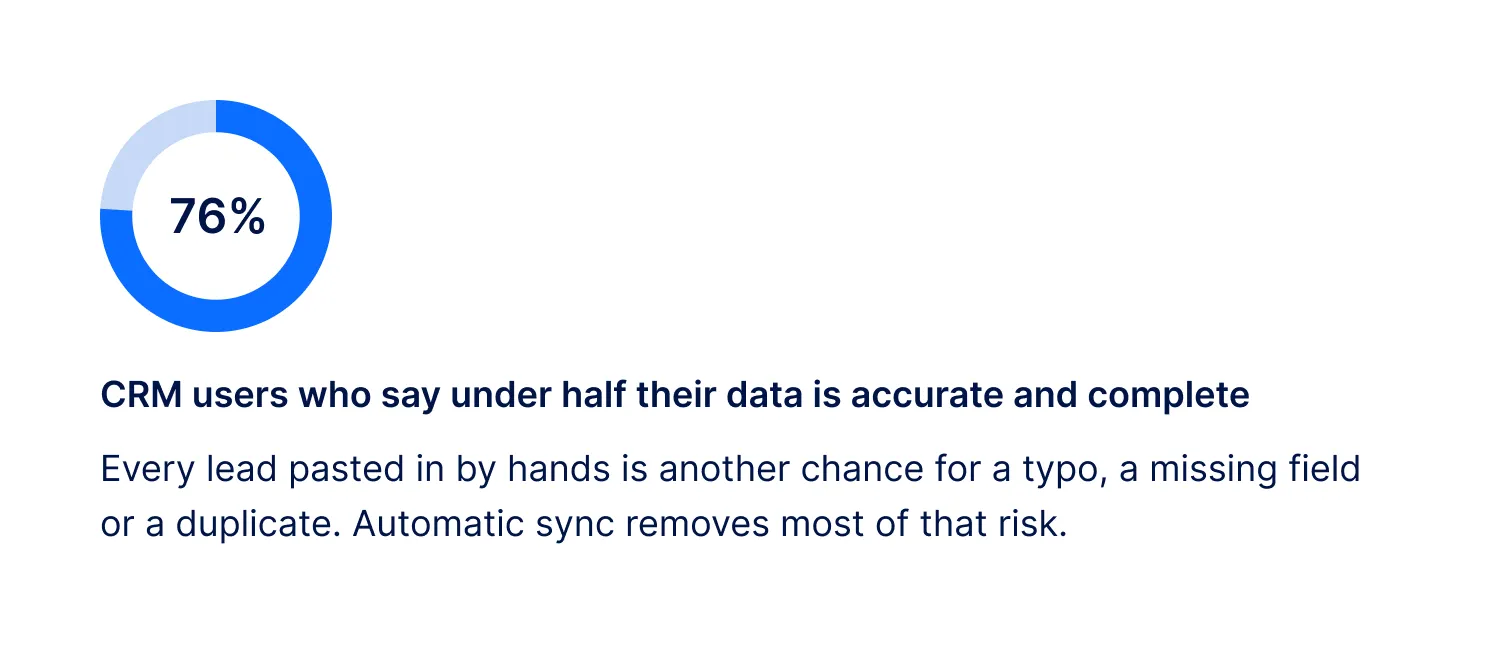
Gartner estimates that poor data quality costs organizations an average of$12.9 million a year. And a Validity survey, cited bythis CRM data study, found that 76% of CRM users say less than half of their CRM data is accurate and complete.
Harvard Business Review analyzed 1.25 million leads and found that firms who contacted a lead within an hour werenearly seven times as likely to qualify it as those who waited one hour longer. The average reply among companies that responded was 42 hours.

| Did you know? Gartner found that 61% of B2B buyers prefer a rep-free buying experience. Many of your best leads will only ever speak to your chatbot first, so what it captures and where it sends it decides whether anyone can follow up. |
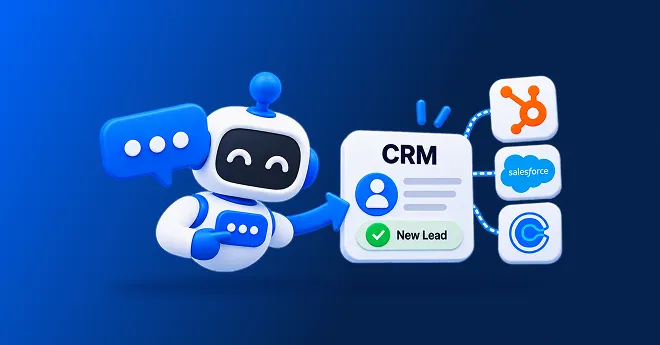
AI chatbot CRM integration is a connection that sends leads, scores and conversation details from your website chatbot straight into your CRM, so your team never has to copy them across by hand.
You may also hear it called chatbot CRM integration or lead sync. The idea is simple: the chatbot captures and qualifies, the CRM stores and tracks, and the two share one clean record.
Not every integration is equal. Some send only a name and email. A good one sends the whole picture. Use this checklist.
With Corvexa, every qualified lead arrives with the full conversation, intent score, contact details, and recommended next step, so your team can pick up where the chatbot left off.
Here is the journey a well-built integration follows.

Here is how each connection works, based on Corvexa’sintegrations page. Guided setup is included during onboarding.
| Integration | How you connect | Best for |
| HubSpot | Portal ID and Form ID | Teams that run their pipeline in HubSpot |
| Salesforce | Client ID and Client Secret | Teams that run their pipeline in Salesforce |
| Zoho CRM | Client ID and Client Secret | Teams using the Zoho suite |
| GoHighLevel | API key | Agencies and teams built around GoHighLevel |
| Custom CRM | Webhook or API | Any other CRM or in-house system |
| No CRM needed | Small teams without a CRM yet | |
| Corvexa dashboard | Included | Viewing leads, scores, analytics and chats in one place |
| Note CRM integrations are part of the Pro plan and above. The Starter plan delivers leads by email. Check the pricing page for the exact plan details before you decide. |
There is no single best CRM. The best integration is the one that matches where your team already works.

If you do not have a CRM yet, start with email and the dashboard, and connect one later. You lose nothing by starting small.
A lead is not only a record. It needs a follow-up. That is why the best website chatbot integrations cover more than one tool.
Add your Calendly link or Google Calendar, and qualified visitors can move straight from chat to booking a meeting.
Hot leads should reach a person quickly. Corvexa sends email alerts for High leads and can post to Slack on the Pro plan.
Corvexa can also qualify and chat with leads over WhatsApp, and WhatsApp lead alerts are listed under the Enterprise plan.
The chatbot installs with one script tag, so it works on WordPress, Webflow, Shopify or a custom-built site.
These questions surface the gaps a demo tends to hide.
Ask for the exact list. A vague “it connects to your CRM” can mean only a name and email.
Reps need the full chat, not a summary line. It saves the awkward repeat questions.
A returning visitor should not create a second record. Ask what the tool does when the email already exists.
Connections often need IDs, keys, and permissions. Guided setup saves days of back and forth.
Ask how failures are reported, so a lead never disappears silently.
What you need depends on how many people touch a lead. Here is a simple guide.
Start with email delivery and the dashboard. You will read every lead yourself, so a full CRM sync can wait until your pipeline grows.
Connect your CRM, calendar, and Slack. Now several people share leads, so scores, alerts, and a clear owner matter more than ever. This is where AI chatbot integrations with CRM pay off most.
If you manage many sites, one script tag per site keeps setup quick, and a tool like GoHighLevel or a custom webhook can route leads by client. Corvexa’s Enterprise plan is built for larger, multi-site needs, so speak to the team about your setup.
Use the webhook or API route. It sends qualified leads to almost any system, though it may need a developer or a guided setup to map the fields you want.
Yes, if you measure them the right way. Good website chatbot integrations save the time your reps spend on typing and switching between tabs. They also protect the most fragile part of the process: the first hour after a lead appears.
Think of it this way. A chatbot without integrations is a good conversation with nowhere to go. With them, that conversation becomes a scored record, an alert, a calendar booking and a next step, all before your team logs in.
If “interest” lands in the wrong field, reps will not find it. Test with a few real chats before launch.
Use scoring so your CRM does not fill up with casual browsers. Send High and Medium leads with priority.
A synced lead that nobody is assigned to is still a lost lead. Decide who gets alerted and how fast they reply.
Never launch a chatbot CRM integration untested. One end-to-end trial can catch problems that a live visitor should never see.
Tell visitors they are talking to AI, link your privacy policy, and only collect what you need. Corvexa states that it is GDPR and PCI DSS compliant, but always check that any tool meets the rules in your region.
Agree what a qualified lead is, pick which CRM fields matter, and gather the IDs, keys, or login details you need.
Connect the CRM and calendar. Run three or four test chats end to end, checking every field, the score, and the alert.
Add the script tag to your pricing and product pages first. Read the first real chats and fix any gaps. Plans start at $39 a month. Seepricing andhow it works.
Look at outcomes, not just whether data arrived.
Time from chat to CRM should be near instant. Fields completed per lead shows the quality of the sync. Duplicate rate shows how clean your records stay. Response time to hot leads shows how fast you act. Meetings booked shows real movement.
TheCorvexa leads dashboard shows every lead’s score, source page, and chat, and leads move through Open, 1st Follow-up, 2nd Follow-up, and Closed. See ourcase studies for real B2B stories, and remember results vary and are not guaranteed.
A chatbot is only as useful as what happens after it captures a lead. A strong AI chatbot CRM integration puts a scored, complete record in front of the right person within seconds, with the conversation attached, and without anyone copying data by hand.
Choose the integration that matches where your team already works. Ask which fields sync, test end to end, and launch small. Then read the leads that arrive and improve every week.

FAQ
It is a connection between your website chatbot and your CRM, so leads, scores and conversation details flow into your CRM automatically instead of being copied over by hand.
Most AI chatbots support popular CRMs such as HubSpot and Salesforce. Corvexa connects to HubSpot, Salesforce, Zoho and GoHighLevel, and can send leads to any other CRM through a webhook or API.
At minimum: name, work email, phone, what they are interested in, and preferred follow-up time. Better still, it should also send the lead score, the page they came from, the full conversation and a recommended next step.
No. Corvexa can deliver qualified leads by email and through its own dashboard if you do not have a CRM yet. CRM integrations are available on the Pro plan and above.
Connecting is usually quick, using IDs, keys or a login. With Corvexa, HubSpot connects with a Portal ID and Form ID, and guided setup is included in your onboarding call. The site itself can go live within 48 hours of that call.
Yes. Many teams keep their CRM and add a lead-focused chatbot that sends scored leads into it, so the CRM stays the single source of truth.
Run a few test chats end to end, check that every field lands in the right place, confirm there are no duplicates, and make sure alerts reach the right person. Then launch on one or two pages first.
 Best AI Chatbot CRM Integrations for B2B Lead Capture in 2026

It’s 11:47 PM. Someone is on your website. They’ve read your services, checked your pricing, and they’re seriously considering reaching...
Quick summary Contact forms convert views into submissions at only around 9%, one of the lowest rates of any form...
Not every AI automation project needs to be a six-month enterprise overhaul. Some of the highest-value workflows to automate with...