
 7 Mins Read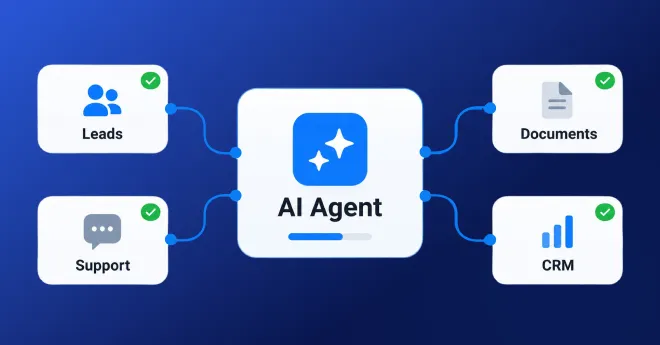

AI Agent vs Chatbot: Which One Actually Grows Revenue (And Which Is a Waste of Budget)?
This blog settles the AI agent vs chatbot debate with real 2026 data rather than marketing buzzwords. You’ll learn the...

Not every AI automation project needs to be a six-month enterprise overhaul. Some of the highest-value workflows to automate with AI agents are narrow, repetitive tasks your team already does every single day.
This guide walks through seven concrete AI agent use cases for enterprise teams that you can realistically pilot this quarter, including how to automate lead qualification with AI, plus practical AI workflow automation examples you can borrow directly.
Enterprises often assume AI agents only make sense for large, company-wide initiatives. In practice, the opposite is usually true.
A Deloitte survey on generative AI adoption found that most organizations reported the strongest early returns came from targeted, well-scoped use cases rather than broad transformation programs. Smaller workflows are easier to measure, easier to fix when something goes wrong, and far easier to get internal buy-in for.
Picking one or two of the workflows below, running them for four to six weeks, and measuring the actual time saved is a far better use of this quarter than waiting for a perfect enterprise-wide rollout plan.
Before the list, it helps to be clear on what we mean. An AI agent workflow is a process where an AI system does more than answer a single question. It takes an input, makes a decision or a series of decisions, takes an action such as updating a record or sending a message, and often hands off to a human only when something falls outside its confidence threshold.
That last part matters. The best workflows to automate with AI right now are not fully autonomous end-to-end. They are agents that handle the repetitive ninety percent and flag the remaining ten percent for a person to review.
Sales teams lose hours every week manually reviewing inbound leads, checking them against firmographic criteria, and routing them to the right rep. This is one of the clearest examples of how to automate lead qualification with AI.
An agent can pull enrichment data, score the lead against your ideal customer profile, and route it to the correct owner automatically. Reps only see leads that already meet a minimum bar, and marketing gets a clean feedback loop on which channels produce qualified leads.
Instead of a support agent manually reading, categorizing, and assigning every incoming ticket, an AI agent can read the ticket, classify the issue type and urgency, pull relevant account history, and either draft a response or route it to the right specialist.
This is one of the fastest workflows to see measurable time savings on, often within the first two weeks of piloting.
Legal and procurement teams frequently spend hours checking contracts against a standard playbook. An agent can flag nonstandard clauses, missing terms, or language that deviates from approved templates, and hand the reviewer a summary instead of a blank document to read line by line.
This does not replace legal judgment. It removes the tedious first pass so a human reviewer starts from a shorter, more focused list.
Finance teams still spend significant time matching invoices to purchase orders, checking for duplicate charges, and flagging anomalies. An AI agent can handle the matching and flagging automatically, escalating only invoices that fall outside expected ranges or lack a matching purchase order.
New hire onboarding usually involves the same repeated steps: account provisioning, equipment requests, policy acknowledgments, and scheduling. An agent can manage this checklist end to end, answering common questions along the way and escalating anything unusual to HR or IT.
Sales and account teams often lose valuable context because notes from a call never make it into the CRM in a structured way. An agent can transcribe the call, extract action items, update the relevant CRM fields, and draft the follow-up email, leaving the rep to review and send rather than write from scratch.
Procurement teams frequently chase vendors for order confirmations, shipping updates, or missing documentation. An agent can handle routine outbound follow-ups, parse vendor replies, and update your system of record, only escalating exceptions like disputed pricing or delayed shipments.
Some workflows are easier to pilot than others depending on how much they touch sensitive systems and how tolerant the process is of occasional errors. Use this as a rough guide when deciding where to start this quarter.
| Workflow | Typical time to pilot | Risk if the agent makes a mistake |
| Lead qualification and routing | 2 to 4 weeks | Low, easily corrected |
| Support ticket triage | 2 to 4 weeks | Low to moderate |
| Contract and document review | 4 to 6 weeks | Moderate, needs human sign-off |
| Invoice and expense processing | 4 to 6 weeks | Moderate, financial impact |
| Employee onboarding | 3 to 5 weeks | Low |
| Meeting notes and CRM updates | 2 to 3 weeks | Low |
| Vendor communication | 3 to 5 weeks | Low to moderate |
If your team is automating for the first time, start with something in the low risk column. Lead qualification, support triage, and CRM updates tend to deliver visible wins fastest and build internal confidence before you touch anything involving money or contracts.
A B2B software company automated lead qualification and saw its sales development team spend far less time on manual research, because the agent had already surfaced firmographic fit and recent company activity before the rep made first contact.
A logistics company piloting vendor communication automation found that agents handling routine shipment confirmation follow-ups freed procurement staff to focus on actual exception handling and negotiation, which is where their judgment mattered most.
Neither example required a company-wide platform change. Both started as a single team’s pilot before expanding.
Ask three questions about each candidate workflow.
How often does this task happen? Higher frequency means more time saved per week, which makes the return on the pilot easier to see quickly.
How costly is a mistake? Pick a workflow where an occasional error is annoying, not damaging, for your first pilot.
Is the data available? An agent cannot qualify leads well without access to enrichment data, and it cannot triage tickets well without access to account history. Confirm the data exists and is accessible before committing to a timeline.
Week one, pick one workflow and define what success looks like in measurable terms, such as hours saved per week or percentage of tasks handled without escalation.
Week two, build and test the agent against real historical examples, not hypothetical ones.
Week three, run it alongside the existing manual process so a person can compare outputs before removing the manual step entirely.
Week four, review the results against your success metric and decide whether to expand, adjust, or pause.
This structure keeps the pilot small enough to finish inside a single quarter while still producing a real answer about whether the workflow is worth scaling.
You do not need a sweeping transformation initiative to get real value from AI agents this quarter. Pick one of the seven workflows above, most likely one from the low-risk end of the table, define a clear success metric, and run a focused four- to six-week pilot. The teams that see the fastest results are rarely the ones with the biggest budgets. They are the ones who start small, measure honestly, and expand only what actually worked.
If you are not sure which of these seven fits your team best, walk through the frequency, risk, and data availability questions above with your team this week and pick one candidate before your next planning meeting. Talk to our team if you want help scoping a pilot around lead qualification, ticket triage, or any of the other workflows covered here, so you can have something measurable running before the quarter ends.

FAQ
Lead qualification and routing, support ticket triage, and CRM updates from meeting notes are generally the easiest starting points because they are low risk and can be piloted within two to four weeks.
The agent handles data gathering, scoring, and routing, while the actual conversation and relationship building stay with the sales rep. The goal is to remove manual research time, not to replace human interaction with the buyer.
Most well-scoped pilots show measurable results, such as hours saved per week or reduction in manual review time, within four to six weeks.
Not necessarily. Many of these workflows run on existing platforms with light integration work. The bigger requirement is having someone who can review agent decisions and adjust rules as edge cases appear.
Automating a process before confirming the agent has access to accurate, complete data. Poor data access leads to poor decisions regardless of how capable the underlying model is.
 7 Workflows You Can Automate With AI Agents This Quarter (And Save Time Fast)
This blog settles the AI agent vs chatbot debate with real 2026 data rather than marketing buzzwords. You’ll learn the...
This blog breaks down real 2026 pricing for custom AI agent development, from simple single-task agents to full enterprise multi-agent...

We’ll walk through what no-code lead capture actually means, how AI agents can be deployed without writing code, what you...