
 12 Mins Read
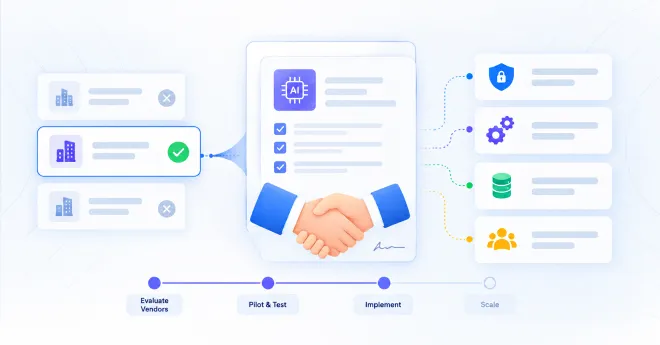
The Enterprise Guide to Hiring an AI Automation Partner (Without Wasting 6 Months)
Choosing the wrong vendor is the single biggest reason enterprise AI automation projects stall, blow past budget, or quietly die...

We’ll walk through what no-code lead capture actually means, how AI agents can be deployed without writing code, what you should prepare before deployment, how to structure the agent, how to connect it to your existing sales workflow, what can realistically be done in 48 hours, and the mistakes that can turn a quick deployment into a frustrating one.
And we’ll use a practical approach throughout because the goal isn’t to have an AI chatbot sitting on your website.
The goal is to have an AI agent that actually helps you capture and qualify leads.
You don’t need a development team to start capturing leads with AI.
You don’t need to spend three months building a custom chatbot.
And you definitely don’t need to create another complicated form and hope visitors fill it out.
For many B2B companies, the real challenge isn’t knowing that AI lead capture exists. It’s figuring out how to actually get it onto the website, teach it about the business, connect it to the sales process, and make it useful without turning the project into a major development exercise.
That’s what this guide is about.
When people hear AI agent, they often imagine developers building:
That can certainly be done. But most businesses don’t need to build the entire technology stack themselves. A no-code lead capture chatbot takes much of that technical work away.
Instead, the business owner or marketing team can typically configure things such as:
The difference is important. You’re not building the AI from scratch. You’re configuring an AI system around your business.
You probably won’t build a completely custom enterprise AI infrastructure in two days. You don’t need to. A useful first version of an AI lead capture agent can often focus on a much smaller goal:
Help website visitors, understand their intent, capture qualified leads, and get those leads into the sales workflow.
A practical 48-hour deployment can look like this:
| Stage | What happens |
|---|---|
| Understand | Define the purpose of the agent |
| Prepare | Gather website content, FAQs and sales information |
| Configure | Set up the AI’s knowledge |
| Qualify | Define what makes a good lead |
| Deploy | Add the agent to your website |
| Connect | Link CRM, email or meeting tools |
| Test | Run real visitor scenarios |
| Launch | Start capturing conversations |
This is where B2B companies often slow themselves down.
They create a huge document containing:
Then they spend weeks reviewing it. Meanwhile, the website is still using the same old contact form. A better approach is:
Start with the conversations that matter most.
Ask: What are the 10 questions prospects ask most frequently?
Then: What are the 5 signals that tell us someone is a serious buyer?
Then: What should happen when someone is ready to talk to sales?
That’s your first version.
You can build from there.
Before you deploy: define the job
An AI agent should have a clear job.
“Answer questions” is too vague.
“Generate leads” is also too vague.
A better objective might be:
Help website visitors understand our B2B software, identify whether they’re a good fit, capture their contact details when appropriate, and offer a sales meeting to qualified prospects.
Now every configuration decision becomes easier. If a feature doesn’t help achieve that goal, you probably don’t need it on day one.

This is where your website becomes extremely useful.
Your AI shouldn’t be guessing what your business does.
It should have access to information such as:
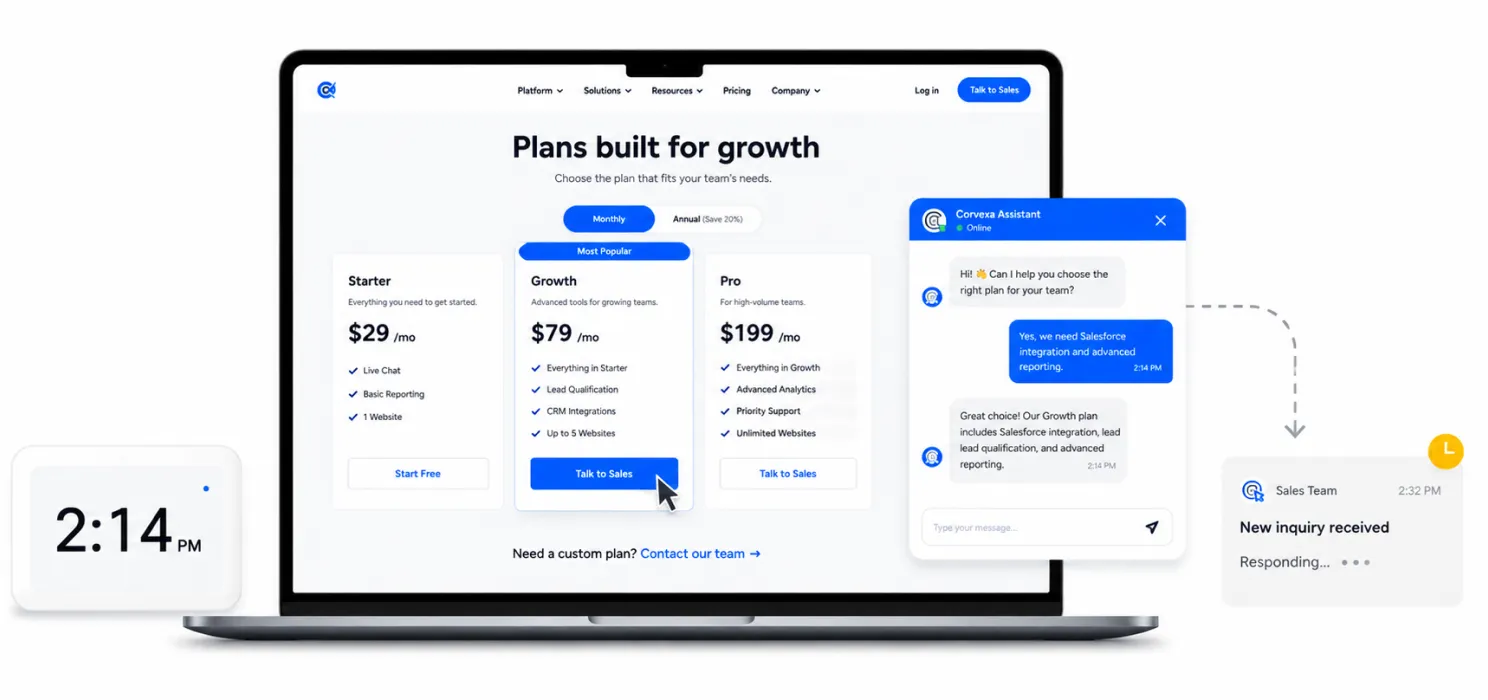
For example, if someone asks: “Do you integrate with Salesforce?” the AI should be able to answer based on your actual business information. Not generate a generic answer about Salesforce.

Your website isn’t necessarily the complete picture. There may be information your sales team knows that isn’t publicly published.
For example:
This is where a dedicated knowledge base becomes useful.

This is probably the most important part of the setup.
Because your goal isn’t: Capture everyone.
Your goal is: Capture the right people.
Think about your ideal customer. What makes someone a strong fit?
Maybe they:
Turn those characteristics into qualification signals.

This is where many “AI lead capture” implementations go wrong.
They take the old form:
Name
Email
Phone
Company
Job title
Budget
Message
and turn it into:
“Hi! What’s your name?”
“What’s your email?”
“What’s your company?”
“What’s your job title?”
“What’s your budget?”
That’s technically a chatbot. But it’s still a form.
The interface changed. The experience didn’t.

You don’t need everything. Start with the information your sales team genuinely needs. For many B2B businesses, that could be:
Basic details
Qualification
Next step
The exact fields depend on your business. The principle doesn’t:
Capture enough information to make the next step useful not enough information to satisfy your CRM.

This is non-negotiable. AI should not be forced to handle conversations it shouldn’t handle. There will be moments when the visitor says:
“Can I speak to someone?” The answer should not be another AI response explaining why AI is useful.
It should be: “Absolutely.”
Then make the handoff easy. A good AI agent should know when to step aside. For example:
AI handles:
Human handles:
This is not AI replacing your sales team. It’s AI making sure your sales team spends more time where it matters.

Capturing a lead is only half the job. What happens next matters just as much. A useful no-code lead capture system should fit into your existing workflow.
For example: Website → AI Agent → Qualified Lead → CRM → Sales
Or: Website → AI Agent → Qualified Lead → Email Alert → Meeting
Depending on your setup, you might connect:
The fewer manual steps between “lead captured” and “sales knows about it,” the better.
Now let’s make this practical. Here’s how you could approach a two-day rollout.

Write down:
Don’t skip this. A technically perfect AI agent with no clear purpose is still useless.
Collect:
Don’t worry about making everything perfect. Start with what your sales team actually uses.
Set up:
Give the AI clear instructions.
Map the basic journey:
Visitor asks question
↓
AI answers
↓
AI understands need
↓
AI qualifies
↓
AI captures contact
↓
Meeting / human handoff

Set up:
Make sure the lead doesn’t get trapped somewhere.
Don’t test only: “Hi.”
Test actual buyer conversations.
Scenario 1: Curious visitor “What does your product do?”
Scenario 2: High-intent visitor “How much does it cost? We need something this month.”
Scenario 3: Technical visitor “Does this integrate with Salesforce?”
Scenario 4: Poor-fit visitor “I’m looking for a solution for a two-person side project.”
Scenario 5: Human request “I’d rather speak to someone.”
Scenario 6: Difficult question “Can you guarantee a 40% increase in conversions?”
The AI needs to know how to handle uncertainty.
This is easy to overlook. Pretend you’re a visitor. Start a conversation. Become qualified. Give your contact details.
Then check:
Did the lead arrive?
Did the score arrive?
Did the conversation history arrive?
Did the CRM update?
Did the notification arrive?
Can sales see what the visitor wanted?
If not, the system isn’t ready.
Once the core journey works: Turn it on. Don’t wait until every possible question has been configured. Real conversations will show you what your visitors actually ask. Then improve the agent based on those conversations.
48 hours doesn’t mean every AI deployment will be finished in exactly 48 hours.
Your timeline depends on:
A simple deployment can move quickly. A complex enterprise deployment may take longer. The point of a no-code approach is that you don’t need to spend weeks building the underlying technology before you can start learning from real visitor conversations. That’s the real advantage.
Corvexa
Instead of requiring your team to build an AI agent from scratch, Corvexa provides a structured setup for deploying an AI lead capture agent on your website.
You can: Connect your website
Corvexa can be deployed on WordPress, Webflow, Shopify or custom websites.Teach it about your business: It can crawl selected website pages and use information such as products, pricing and FAQs. You can also add additional knowledge and upload PDFs.
Define your ideal customer: You can configure industries, company sizes, pain points, disqualifiers and other qualification signals.
Capture leads through conversations: The agent can collect details such as name, email, phone, interest and preferred follow-up time.
Identify high-intent visitors: Hot keywords and qualification signals can help prioritize serious prospects.
Let humans take over: Your team can watch conversations and step in when a human interaction is more appropriate.
Send leads into your workflow: Corvexa supports HubSpot, Salesforce, Calendly and email integrations, alongside its own leads and conversations dashboard.}

Don’t start with: “What’s your email?”
Start with: “What are you looking to solve?”
Set clear boundaries. Define what the AI knows, what it shouldn’t promise, and when it should hand the conversation to a human.
AI shouldn’t replace salespeople. It should help them focus on conversations that actually need human attention.
Not every visitor is a good fit. Let AI identify poor-fit conversations so your sales team doesn’t waste time.
Test your AI with good leads, bad leads, objections, pricing questions, technical questions, and human handoffs before going live.
500 leads mean nothing if 450 are useless. Track qualified leads, meetings, opportunities, and revenue, not just volume.
Before launching your no-code lead capture chatbot, make sure you have:
Business
Knowledge
AI
Integrations
Testing
If these are ready, you’re much closer to a useful launch.
This is the bigger point. Yes, no-code tools can help you deploy faster. But speed of deployment isn’t the real business advantage. The real advantage is being able to experiment faster. Imagine you launch your first AI agent today. Next week you discover that prospects keep asking about implementation. You add the answer. You notice qualified visitors often ask about Salesforce. You improve that flow. You discover visitors from one industry convert particularly well. You adjust your qualification rules. You find that a certain question causes visitors to leave. You change it. You can keep improving without turning every adjustment into a development project. That’s where no-code becomes powerful.
You don’t need to build the perfect AI sales agent before putting one on your website. You need to build a useful first version. Give it your business knowledge. Teach it what a good lead looks like. Let it answer real questions. Let it capture information naturally. Connect it to your sales workflow. Then watch what happens. The conversations will tell you what to improve.
And that’s a much better way to approach AI than spending months building something based on assumptions.
Because your visitors are already telling you what they need.
You just need a system capable of listening.

 No-Code Lead Capture: Deploying AI Agents in 48 Hours
Choosing the wrong vendor is the single biggest reason enterprise AI automation projects stall, blow past budget, or quietly die...
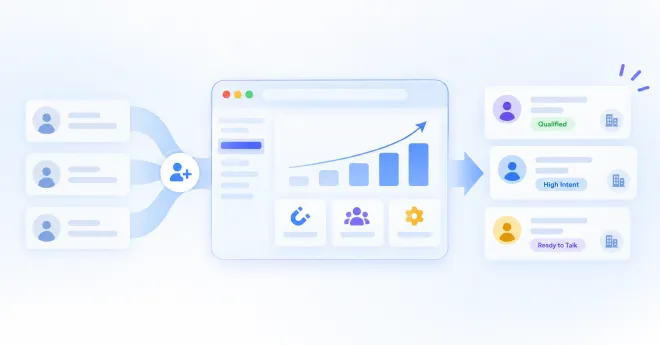
B2B customer acquisition gets harder as a business grows. More website visitors, more leads, more conversations, and more follow-ups can...
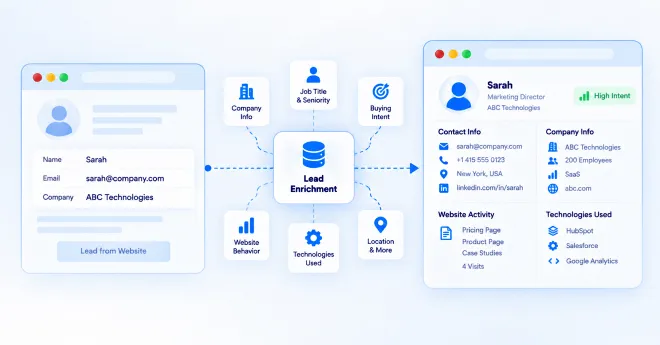
A website visitor can leave behind very little information. They may read a few pages, check your pricing, download a...