
 8 Mins Read

24/7 Lead Generation: How to Capture Visitors While You Sleep
It’s 11:47 PM. Someone is on your website. They’ve read your services, checked your pricing, and they’re seriously considering reaching...

| Quick summary Not all AI lead capture software does the same job. Many tools answer questions and stop there. This guide lists the 9 features B2B teams should demand in 2026, why each matters, and how to spot a tool that looks capable in a demo but falls short in practice. |
Every vendor now says “AI-powered.” Very few say what that actually means for your leads.
Some tools answer a question and log a transcript. Others read intent, ask the right follow-up, score the lead and hand your team something worth calling. The gap between those two is the difference between a chatbot and real AI lead capture software.
The market is not slowing down either. The global conversational AI market is projected to reach roughly$17.97 billion in 2026, growing at about 21% a year through 2034. More vendors are entering, and more of them are stretching the word “AI” past what their product actually does. Here are the 9 features worth demanding before you buy.
Because demos are built to impress, not to reveal gaps. A polished five-minute walkthrough rarely shows you what happens with a confusing question, an unclear budget answer, or a lead your CRM cannot ingest cleanly.
It also matters because the cost of getting this wrong is real. Gartner found that61% of B2B buyers prefer a rep-free buying experience, meaning your website conversation is often the only shot you get before a buyer moves on quietly. Harvard Business Review found that firms contacting a sales lead within an hour werenearly seven times as likely to qualify it as those waiting even one hour longer. Software that misses intent or delays a handoff is not a minor inconvenience. It is a lost deal.
The software should read what a visitor asks or clicks, not just wait for a keyword match. A visitor asking “what does it cost for 20 users?” should get a different response than one asking “what do you do?” If a vendor cannot explain how their tool tells these two apart, it likely cannot.
Every lead should arrive with a score, such as High, Medium, or Low, based on intent and fit signals, not just a name and email. Without scoring, your team is back to guessing who to call first, which defeats the purpose of AI lead capture software in the first place.
You should be able to define phrases like “book a demo” or “pricing for 50 seats” that skip the small talk and move a visitor straight to lead capture. A tool without this treats every visitor identically, no matter how clearly they signal they are ready to buy.
| Tip Ask any vendor to show you exactly what happens when a test visitor types a clear buying phrase. If the response is generic, the “intent detection” claim on their website is mostly marketing. |
The tool should learn from your actual website, plus private documents like spec sheets, pricing sheets, or internal FAQs. Answers based only on a generic script will feel disconnected from your real business, and visitors notice quickly.
A rep should be able to step into any conversation with one click and see everything that happened before they joined. Tools without this force your team to start from zero, which undoes much of the AI’s advantage.
Leads should sync automatically to the tools your team already uses, HubSpot, Salesforce, or otherwise, and qualified visitors should be able to book a call directly, through Calendly or Google Calendar, without leaving the chat.
A large share of B2B research now happens on a phone, often at night or on weekends. Software that is slow, clunky, or hard to use on a small screen loses exactly the visitors it should be catching.
Visitors should always be told they are talking to AI, with an easy path to a human. This is not just good practice; visitors who feel misled about who or what they are talking to stop trusting your brand, not just the chatbot.
A dashboard should show qualified leads, source pages, scores, and outcomes, not simply a count of conversations. A rising chat count with no visibility into what those chats produced tells you almost nothing about whether the software is actually working.
| Feature | What it prevents |
| Real-time intent detection | Generic replies to visitors who are ready to buy |
| Automatic lead scoring | Your team guessing who to call first |
| Hot keyword triggers | Hot leads stuck in a long question flow |
| Custom knowledge base + PDFs | Answers that sound generic or wrong |
| Human takeover with context | Reps repeating questions a visitor already answered |
| CRM & calendar integration | Manual copy-paste, and leads that go stale |
| Mobile-friendly design | Losing visitors researching on a phone |
| Transparent AI disclosure | Trust damage when visitors feel misled |
| Clear lead reporting | No visibility into whether it is actually working |
Fewer than you would expect. Many tools marketed as B2B AI lead capture are rebuilt customer-support chatbots, strong at answering questions, weak at reading intent or scoring a lead. Others handle scoring well but sync poorly with CRMs, leaving leads stranded in a separate dashboard nobody checks.
The honest test is to ask a vendor to walk through all 9 features live, on your own website, rather than a rehearsed script. Vague answers on two or three of these usually predict real gaps once you are live.
Done well, it removes two of the most time-consuming parts of inbound sales: waiting by the inbox, and sorting real buyers from casual browsers. Your team stops reacting to every form fill equally and starts working a ranked list instead.
Done poorly, with a tool missing several of the 9 features above, it just adds another dashboard nobody trusts, while leads still slip through the same old cracks, just with a chat transcript attached.
| Note This list is meant to help you evaluate any AI lead capture tool fairly, not only Corvexa. Use it against every vendor you consider, including us. |
Not every AI lead capture feature carries equal weight. Some genuinely decide whether the tool works. Others are convenient but not deal-breakers.

If a vendor is strong on the “nice-to-have” list but weak on the “must-have” list, that is a sign the demo was built to impress rather than to solve your actual problem.
Two tools can have identical feature lists on paper and very different real-world costs, depending on how pricing is structured. This matters just as much as the features themselves.
Costs grow as the tool succeeds. This can work for low-volume, high-value use cases, but it punishes exactly the growth you are trying to create.
Costs scale with your team size rather than your traffic, which can be predictable for internal tools but disconnected from the actual value of leads captured.
Costs are predictable and tied to usage bands rather than every single interaction, making budgeting simpler for growing B2B teams.
Ask every vendor for a written cost projection at your current traffic and at double it. A tool that looks affordable today can become one of your largest line items once it starts working well, if the pricing model was not built with growth in mind.
Prioritize CRM depth and API-style integrations, since SaaS buyers ask precise technical questions that a shallow knowledge base cannot answer well.
Prioritize the custom knowledge base and PDF support, since these industries rely heavily on brochures, fact sheets and disclosures that a generic script will never capture correctly.
Prioritize hot keyword triggers and human takeover, since these businesses sell relationships as much as services, and a fast, well-briefed handoff to a real person closes more deals than the chat alone.
Whatever your industry, the same 9 features apply—only the priority order shifts based on how your buyers actually decide.

FAQ
 AI Lead Capture Software: 9 Features B2B Teams Should Demand in 2026

It’s 11:47 PM. Someone is on your website. They’ve read your services, checked your pricing, and they’re seriously considering reaching...
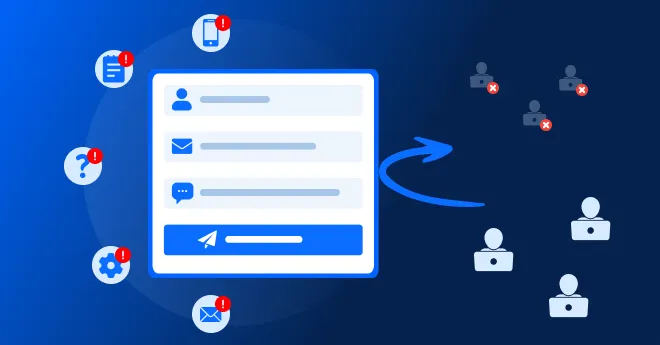
Quick summary Contact forms convert views into submissions at only around 9%, one of the lowest rates of any form...
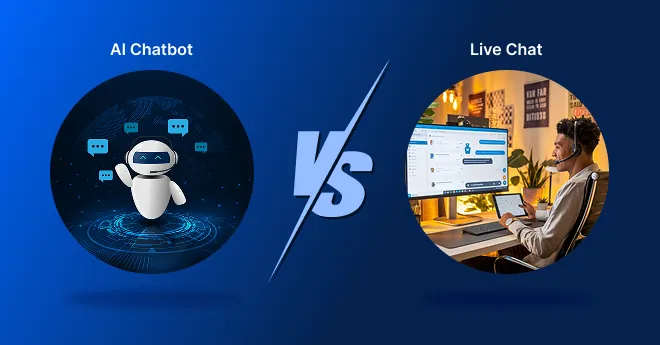
Quick summary Should you put a person or an AI behind your website chat? This guide compares AI chatbot vs....