
 9 Mins Read
Website Visitor Intent Data vs. AI Intent Detection: What Is the Difference?
Quick summary “Intent data” and “AI intent detection” are used almost interchangeably, but they are built differently and answer different...

| Quick summary A chatbot that captures leads but never reaches Salesforce just creates a second inbox nobody checks. This guide explains how Salesforce chatbot integration should work, what data belongs in each record, how to connect it without a developer, and how to test it before real leads depend on it. |
Your chatbot qualifies a visitor perfectly. Named CRM, team size, budget, timeline, work email, all captured in one tidy conversation.
Then it sits in a separate dashboard your Salesforce-native sales team never opens, because their whole world is Salesforce. By the time someone remembers to check it, the lead has gone cold.
A good Salesforce chatbot integration exists to close exactly that gap. Here is how to do it properly.
Because your reps live in Salesforce, and a lead they cannot see does not exist to them. Manual copy-paste is not a small inconvenience either. A roundup of Salesforce State of Sales findings reports that reps spend about9% of their week manually entering customer and sales information, roughly half a day every week on typing that a real integration removes entirely.
Harvard Business Review analyzed 1.25 million leads and found that firms who contacted a lead within an hour werenearly seven times as likely to qualify it as those who waited even one hour longer. A lead stuck in an unconnected chatbot dashboard is not being contacted within an hour. It might not be contacted at all.
Gartner found that61% of B2B buyers prefer a rep-free buying experience. Many will only ever speak to your website chatbot before deciding. If that conversation never reaches Salesforce, your CRM has no record that they existed.
| Did you know? Salesforce’s own State of Sales research found thatsales reps spend only 28% of their week actually selling. Every lead that arrives cleanly in Salesforce, already scored, is time given back to that 28%, instead of more of the week lost to admin. |
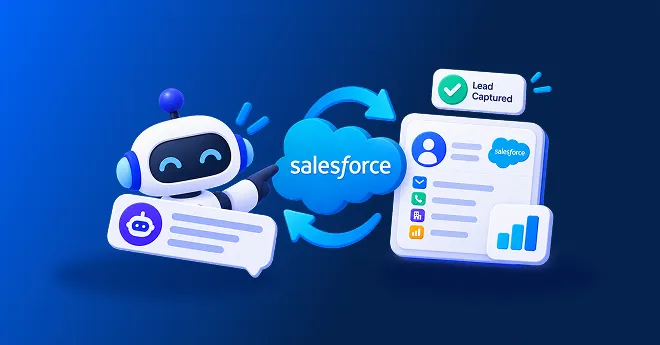
Salesforce chatbot integration is a connection between your website chatbot and Salesforce that sends captured leads, their intent scores and full conversations directly into your CRM, without anyone copying data by hand.
You may also see this called chatbot CRM integration Salesforce, or simply “send chatbot leads to Salesforce.” The idea is the same either way: the chatbot does the qualifying, Salesforce does the tracking, and the two share one clean, connected record.
A basic connection sends a name and an email. A properly built one sends the whole picture. Use this checklist to judge any Salesforce lead capture chatbot.
With Corvexa, every qualified lead arrives in Salesforce with the full conversation, intent score, contact details, and recommended next step, so a rep can pick up exactly where the chatbot left off.
Here is the journey a well-built AI lead capture Salesforce integration follows.
With Corvexa, connecting Salesforce chatbot integration is a guided process, not a development project.
These credentials come from your Salesforce connected app settings. Corvexa’s onboarding team can walk you through generating them if this is new to you.
Paste your Client ID and Client Secret into theSalesforce integration settings. No code, no developer required.
Confirm which Corvexa fields, such as interest, score, and source page, map to which Salesforce fields, so nothing lands in the wrong place.
Chat with your own bot, provide test details, and confirm the record appears correctly in Salesforce before any real visitor relies on it.
Decide who should be notified when a lead scores High, so a hot Salesforce lead never sits unseen.
| Tip Test with a deliberately messy example, a long interest description or an unusual name, before launch. It is the fastest way to catch a field mapping problem before a real visitor does. |
If you are choosing between CRMs or comparing setups, here is how the Salesforce path differs from the alternatives Corvexa supports.
| CRM | How you connect | Best for |
| Salesforce | Client ID and Client Secret | Enterprise and mid-market B2B sales teams |
| HubSpot | Portal ID and Form ID | Teams that run marketing and sales together in HubSpot |
| Zoho CRM | Client ID and Client Secret | Teams using the Zoho suite |
| GoHighLevel | API key | Agencies and teams built around GoHighLevel |
| Custom CRM | Webhook or API | Any other CRM or in-house system |
A Salesforce record with “High” attached only helps if reps believe it. Scores should come with visible reasons, such as the intent signals and fit criteria behind them.
When a deal-maker moment arrives, a rep should be able to join the live chat directly, with the full history, not just inherit a completed record afterward.
Pairing Salesforce sync withCalendly or Google Calendar lets qualified visitors book a meeting in the same conversation that created the lead.
Email alerts are standard; Slack alerts for High leads are available on the Pro plan, so hot Salesforce leads reach a person fast, not just a queue.
| Note CRM integrations, including Salesforce, are part of Corvexa’s Pro plan and above. The Starter plan delivers leads by email. Check thepricing page for current plan details. |
Large teams often have multiple SDRs and account executives working the same Salesforce pipeline. A Salesforce chatbot for B2B use at this scale should route leads by territory or product line, so the right rep sees the right record without manual sorting.
A leaner sales team benefits most from lead scoring that filters out casual browsers, so a small number of reps are not overwhelmed by every website visitor landing in Salesforce as an unranked list.
If you are moving from another CRM, a Salesforce website chatbot gives you clean, structured lead data from day one, rather than carrying over years of inconsistent manual entries.
Whatever your team size, the underlying setup stays the same: define your ideal customer, connect Salesforce properly, and let the chatbot do the qualifying work before a lead ever reaches a rep’s queue.
If “interest” lands in the wrong Salesforce field, reps will not find it. Test with real example chats before launch.
Use scoring so Salesforce does not fill up with browsers who were never close to buying. Prioritize High and Medium leads.
A lead synced to Salesforce with nobody assigned is still a missed lead. Decide who gets alerted and how quickly they should respond.
Never launch a Salesforce chatbot integration untested. One full trial run can catch mapping errors before a real visitor ever sees them.
Tell visitors they are chatting with AI, link your privacy policy and collect only what you need before it syncs to Salesforce.
Agree what a qualified lead looks like, decide which Salesforce fields matter, and gather your Client ID and Client Secret.
Connect Salesforce, map your fields, and run three or four test chats end to end, checking every field, the score and the alert.
Add the chatbot’s script tag to your pricing and product pages first. Read the first real chats and confirm they are landing correctly in Salesforce before expanding further. Seehow it works andpricing, which starts at $39 a month.
Look at outcomes in Salesforce, not just whether records arrived.
Time from chat to Salesforce record should be near instant. Fields completed per lead shows sync quality. Response time to hot leads shows how fast reps act once a lead lands. Meetings booked from chatbot leads shows real movement, directly comparable to your other Salesforce lead sources.
TheCorvexa leads dashboard shows every lead’s score, source page and full chat alongside what has synced to Salesforce, so you can confirm nothing is slipping through. See ourcase studies for real B2B examples, and remember results vary and are not guaranteed.
A chatbot that qualifies leads well is only half the job. Salesforce chatbot integration is what turns that qualification into a record your sales team will actually see and act on, with the score, the context and the conversation attached.
Connect it with your Client ID and Client Secret, map your fields carefully, test end to end, and set alerts before you launch. Then read what lands in Salesforce and improve every week. That is how AI lead capture Salesforce integration earns its place in a real sales process, not just a dashboard nobody opens.

 Salesforce Chatbot Integration for Website Lead Capture

Quick summary “Intent data” and “AI intent detection” are used almost interchangeably, but they are built differently and answer different...
“It scores your leads automatically” is easy to say and hard to picture. This guide opens up the mechanics: what...
Quick summary Every AI lead qualification software vendor claims to find your best buyers automatically. Far fewer can show exactly...