
 8 Mins Read
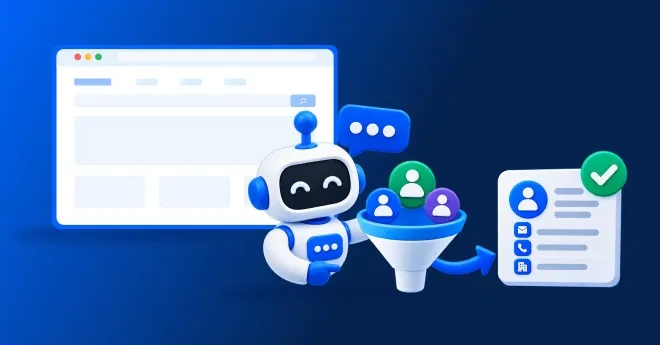

24/7 Lead Generation: How to Capture Visitors While You Sleep
It’s 11:47 PM. Someone is on your website. They’ve read your services, checked your pricing, and they’re seriously considering reaching...

| Quick summary Inbound leads pile up, reps get buried, and the usual fix is to hire another SDR. This guide shows a cheaper and faster way to automate website lead qualification: what to automate, what to keep human, a step-by-step setup, and how to measure it. No extra headcount needed. |
Monday morning. Your sales lead posts a message: “We have 60 new website leads this week and no time to check them all. Can we hire another SDR?”
It is a fair ask. It is also an expensive one. A new hire takes months to get going, costs well over $100,000 a year, and might leave before they are fully productive.
There is another way. You can automate website lead qualification, so your existing team only talks to people worth their time. Let’s look at how, and where humans still matter.
What does an SDR actually do with website leads?
Before you automate anything, look at the job. When a website lead arrives, an SDR usually does the same handful of steps.
Who is this person? Which company? Is it a fit? This can take ten minutes per lead.
What do you need? How many users? When do you want to start? What is your budget?
Hot, warm or cold. This decides who gets a call today and who gets an email next week.
Find a time, confirm it and hand it to an account executive.
Most of this is repetitive, rule-based and time-sensitive. That is exactly the kind of work automation does well.
Automated lead qualification means using software to decide, in real time, whether a website visitor is a good fit and ready to buy, then scoring the lead and routing it to the right person.
The most common form is an AI lead qualification chatbot. It starts a conversation, asks a few natural questions, reads the answers and scores the lead. You may also see it called automated lead qualification software or an AI sales agent for websites. Our guide toAI lead qualification covers the scoring in more detail.
Automation is not all or nothing. The best setups split the work sensibly.
| Task | Automate it? | Why |
| Answering first questions | Yes | Same questions repeat; instant answers help |
| Asking qualifying questions | Yes | Consistent questions, no interrogation |
| Capturing contact details | Yes | Faster and gentler than a form |
| Scoring leads | Yes | Rules applied evenly, every time |
| After-hours coverage | Yes | Software does not sleep |
| Discovery calls and demos | No, keep human | Needs listening, judgment and trust |
| Negotiation and closing | No, keep human | Complex, high-stakes conversations |
| Outbound prospecting | No, keep human | Automation here is a different tool and job |
| Note Automation handles inbound website qualification. It does not replace outbound prospecting or your account executives. The goal is to give the people you already have more time for the work only they can do. |
Here is a simple process. You can follow it whichever tool you choose.
| Tip Start with two pages: pricing and your main product page. These have the strongest buying signals. Learn from real chats, then expand. |
Not every tool is built for this job. Use this checklist to judge automated lead qualification software fairly.
Corvexa’slead qualification profile covers this: you define industries, company sizes, budget signals, pain points and disqualifiers once, and add hot keywords. You can even set an exclusive offer that only hot leads see. See the full list offeatures.
Automation only helps if the handoff is clean. Here is what your team should receive.
The gap is large, though the two do different jobs. An SDR costs roughly $100,000 to $175,000 a year fully loaded, per the sources above. Corvexa Pro is $129 a month, or about $1,548 a year at listed prices, and Starter is $39 a month. Seepricing.
| Tip Here is an illustrative example, not a promise. If your team spends about 10 minutes researching and qualifying each of 60 website leads a week, that is 10 hours a week, or about 520 hours a year. Automation can give a large share of that time back for calls and demos. |
You are not comparing a tool to a person. You are asking whether the repetitive first step of inbound qualification needs a person at all.
Track outcomes, not chat counts. Four numbers tell most of the story.
TheCorvexa leads dashboard shows each lead’s score, source page, and chat history. See ourcase studies for real B2B stories, and remember results vary and are not guaranteed.
Week 1: define and train
Agree on what a qualified lead is, write your disqualifiers, list your hot keywords, and let the chatbot learn from your site and documents.
Week 2: connect and launch
Connect your CRM and calendar, add the script tag, go live on pricing and product pages, and set alerts for High leads. Read the first chats and fix any gaps. Our how our chatbot works page shows the full process.
You do not need another SDR to stop drowning in website leads. You need the repetitive part of inbound qualification done fast, fairly and at any hour, so your people can spend their time on conversations that need them.
Define what a good lead is, train an AI lead qualification chatbot on your business, connect your CRM and set alerts. Then read real chats and improve every week. That is how you automate website lead qualification without adding headcount.

FAQ
Learn how to automate website lead qualification, what AI chatbots can do, whether automation can replace an SDR, and how to qualify leads faster.
Define what a good lead looks like, train an AI chatbot on your website and documents, add hot keywords that signal buying intent, connect your CRM and calendar, and let the chatbot ask a few qualifying questions, score each lead and alert your team to the best ones.
Not entirely. It can take over the repetitive part of inbound work, such as answering first questions, asking qualifying questions, scoring and after-hours coverage. SDRs and account executives are still needed for outbound prospecting, calls, discovery and closing.
It is software that uses rules and AI to decide whether a lead is a good fit and ready to buy, then scores it and routes it to the right person, without a human reading every enquiry first.
Usually a few natural questions about what they need, company size, tools they use, budget range and timeline. It collects name, work email, phone, interest and preferred follow-up time inside the conversation.
Start the conversation while the visitor is still on the page, ask two or three qualifying questions, score the answers automatically, and alert your team the moment a lead scores High.
 How to Automate Website Lead Qualification Without Adding Another SDR

It’s 11:47 PM. Someone is on your website. They’ve read your services, checked your pricing, and they’re seriously considering reaching...
Quick summary Contact forms convert views into submissions at only around 9%, one of the lowest rates of any form...
Not every AI automation project needs to be a six-month enterprise overhaul. Some of the highest-value workflows to automate with...