
 11 Mins Read

24/7 Lead Generation: How to Capture Visitors While You Sleep
It’s 11:47 PM. Someone is on your website. They’ve read your services, checked your pricing, and they’re seriously considering reaching...

| Quick summary HubSpot’s chatbot is a good fit for some teams and a poor fit for others. This guide explains why B2B teams look at HubSpot chatbot alternatives, what to check before you switch, how Corvexa, Intercom Fin, and Qualified compare, and how to move over without losing leads |
You already pay for HubSpot. It has a chatbot built in. So why would you look anywhere else?
Because “built in” and “built for lead generation” are not always the same thing. Many B2B teams install the default bot, watch it answer a few questions, and still find that their best prospects leave without a word.
If that sounds familiar, this guide is for you. We will look at the best HubSpot chatbot alternatives, compare them fairly, and help you pick one.
HubSpot is a strong platform. But teams tend to look for a chatbot like HubSpot, only different, for four reasons.
The free bot is rule-based
HubSpot’s free chatbot builder follows scripted flows. Visitors pick from set options. It does not read intent or hold a natural conversation. Voiceflow notes that the AI agent sits in higher tiers.
The AI agent costs more than it first appears
HubSpot’s Breeze Customer Agent costs $0.50 per resolved conversation. That is fair pricing. But it also needs a Professional or Enterprise subscription, and usage runs on HubSpot Credits.
It is built around support first
The Customer Agent focuses on resolving customer questions. That is different from spotting a buyer, scoring them, and starting a sales conversation.
It works best when HubSpot is your only system
If your team also uses other tools or a different CRM, a native bot gives less of an edge.
| Did you know? HubSpot moved its Customer Agent to outcome-based pricing on April 14, 2026. Before that, it charged $1.00 per conversation whether or not the agent solved anything. |
It is only fair to say what works. If you live inside HubSpot, the bot is right there next to your contacts, tickets, and forms. Conversations log to the contact timeline with no extra setup.
The free tool is also a low-risk way to start. For a small team with simple needs, that can be enough. The rest of this guide is for teams that have outgrown it, or never fit it.
Before you compare names, decide what “better” means for you. Use this checklist.
✅ It detects buying intent and does not only answer questions.
✅ It scores leads so your team knows who to call first.
✅ It captures contact details inside the chat, not through a long form.
✅ It syncs to your CRM, and you can keep HubSpot as your CRM if you want.
✅ A person can take over a chat at any time.
✅ Pricing is easy to predict as your traffic grows.
✅ Setup is guided and does not require a developer.
Here are the options worth a look, in the order we would review them for a B2B lead generation goal.
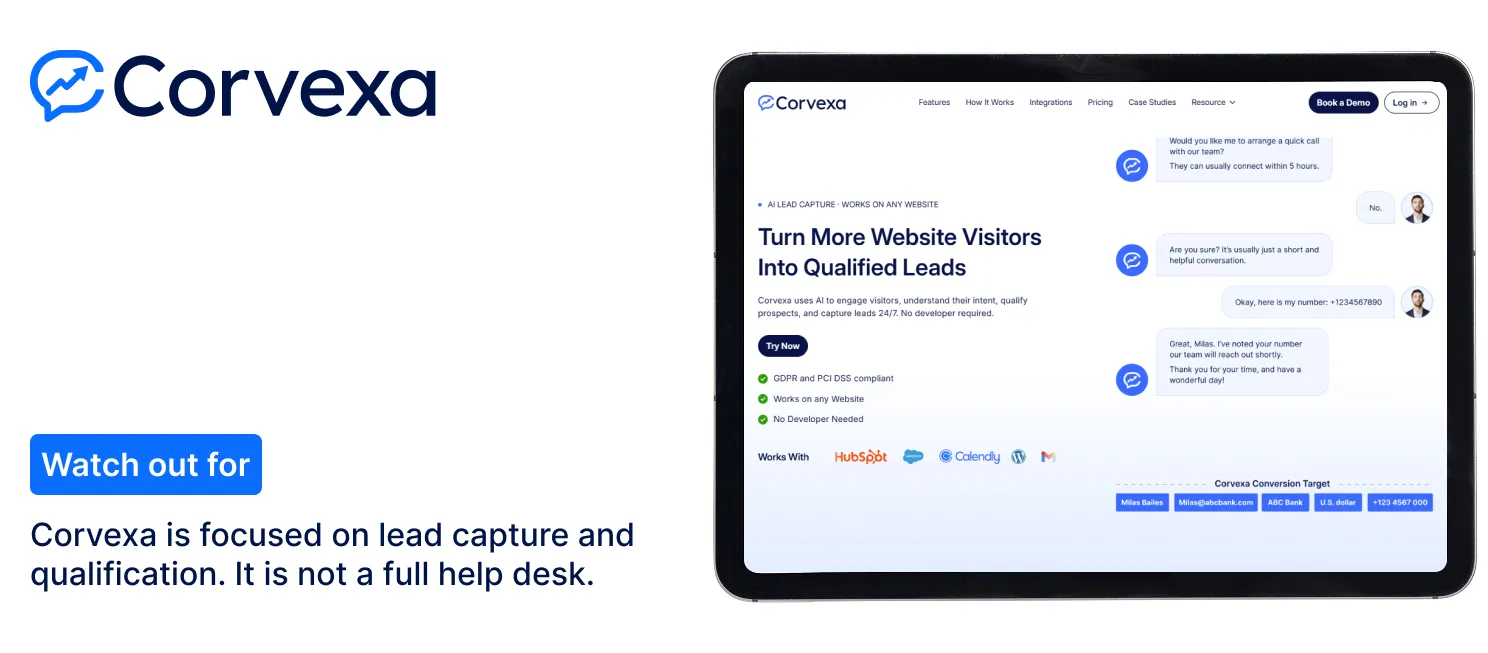
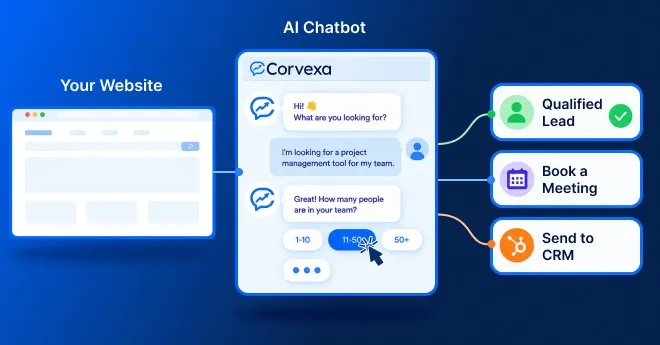
Corvexa is an AI lead capture agent for B2B websites. It starts conversations based on what a visitor does, detects intent, captures five key details (name, work email, phone, interest, and preferred follow-up time), and scores each lead High, Medium, or Low. Read more about the features and how it works.
It is also one of the easier HubSpot alternatives for lead generation if you want to keep your CRM. Corvexa connects to HubSpot with a Portal ID and Form ID, so leads go straight into your fields. See the HubSpot integration guide.
Setup is guided. Corvexa learns from your site, PDFs, and custom Q&A, and can go live within 48 hours of your onboarding call with a single script tag. Plans start at $39 a month for 250 conversations, and Pro is $129 a month for up to 1,000 conversations with CRM integrations, lead scoring, and human takeover. See pricing.
Watch out for: Corvexa is focused on lead capture and qualification. It is not a full help desk.
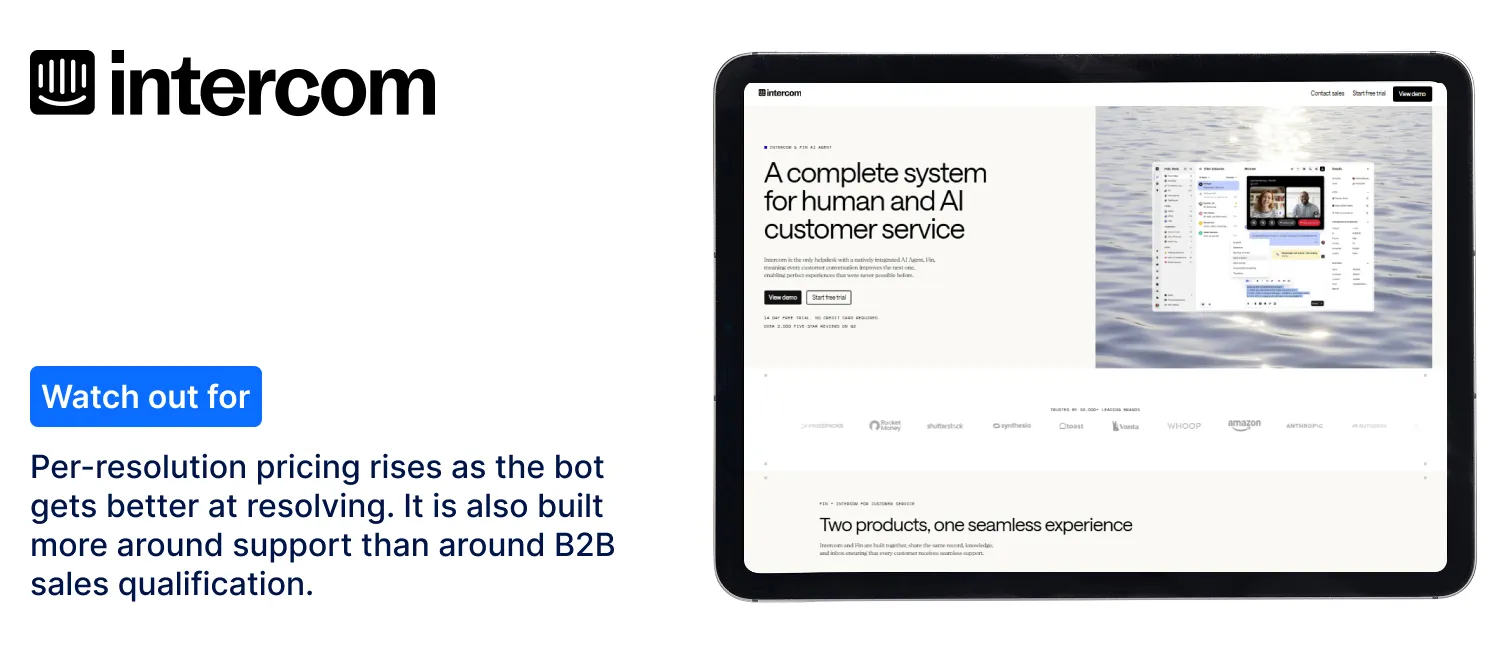
Intercom is a mature platform with a shared inbox, help center, and an AI agent called Fin. It is a strong pick if support and sales share one tool. Fin is priced at about $0.99 per resolution, on top of seat costs.
Watch out for: Per-resolution pricing rises as the bot gets better at resolving. It is also built more around support than around B2B sales qualification.
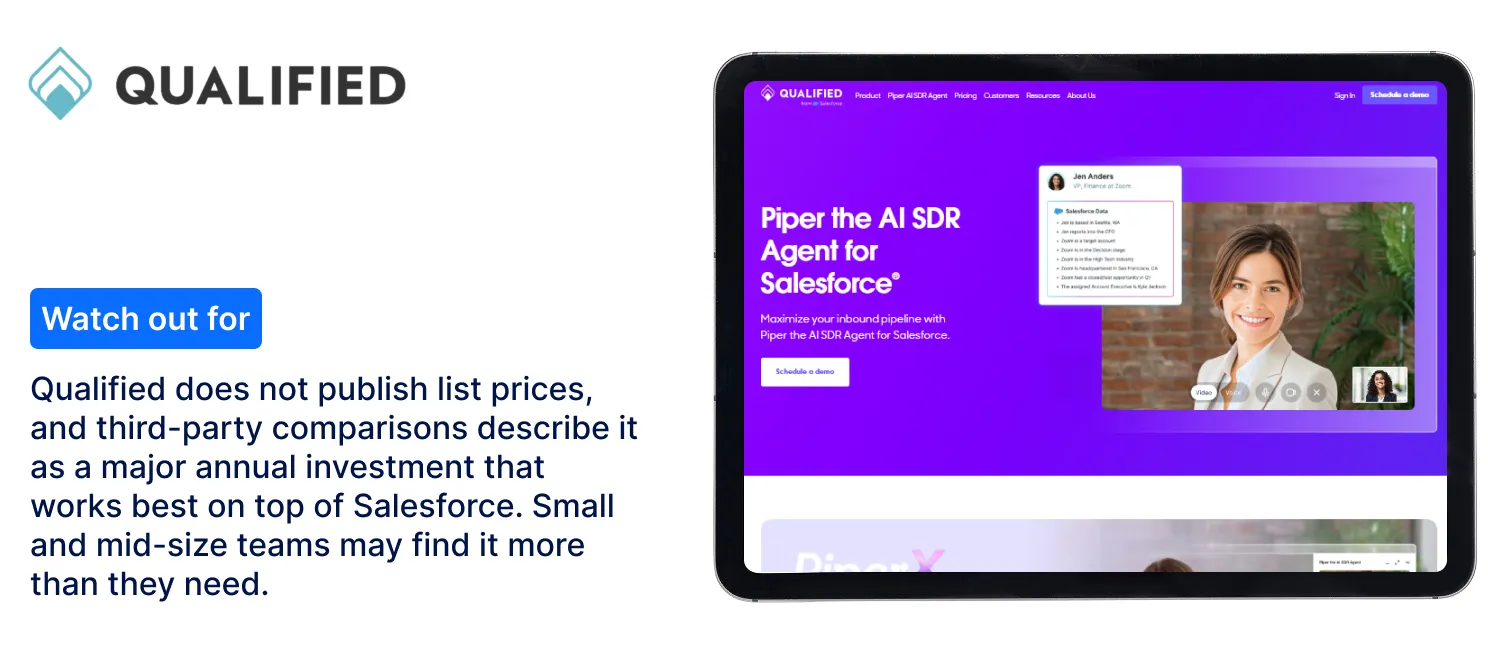
Qualified’s AI agent, Piper, qualifies visitors and books meetings. Salesforce completed its acquisition of Qualified on April 1, 2026, so it fits Salesforce enterprises well.
Watch out for: Qualified does not publish list prices, and third-party comparisons describe it as a major annual investment that works best on top of Salesforce. Small and mid-size teams may find it more than they need.
Drift used to be the default answer here. But reports say Clari and Salesloft announced a gradual sunset of Drift on March 6, 2026. For a new purchase, we would look at actively developed tools instead.
| Tool | Best for | Pricing model | Watch out for |
| HubSpot chatbot | Teams fully on HubSpot | Free rule-based bot; AI agent per resolved conversation on Pro or Enterprise | Support-first; needs higher tier |
| Corvexa | B2B lead qualification, any website | Flat plans from $39 a month | Not a help desk |
| Intercom Fin | Support and sales in one tool | About $0.99 per resolution plus seats | Costs grow with resolutions |
| Qualified (Piper) | Salesforce enterprises with SDRs | Custom pricing | High cost, Salesforce-centric |

| Tip Run a two-week pilot on your busiest pages, such as pricing and demo pages. Compare qualified leads and meetings, not chat counts. |

Pricing models differ, so headline prices mislead. Here is a rough look at usage costs at about 1,000 conversations a month, at list prices and before seat fees.
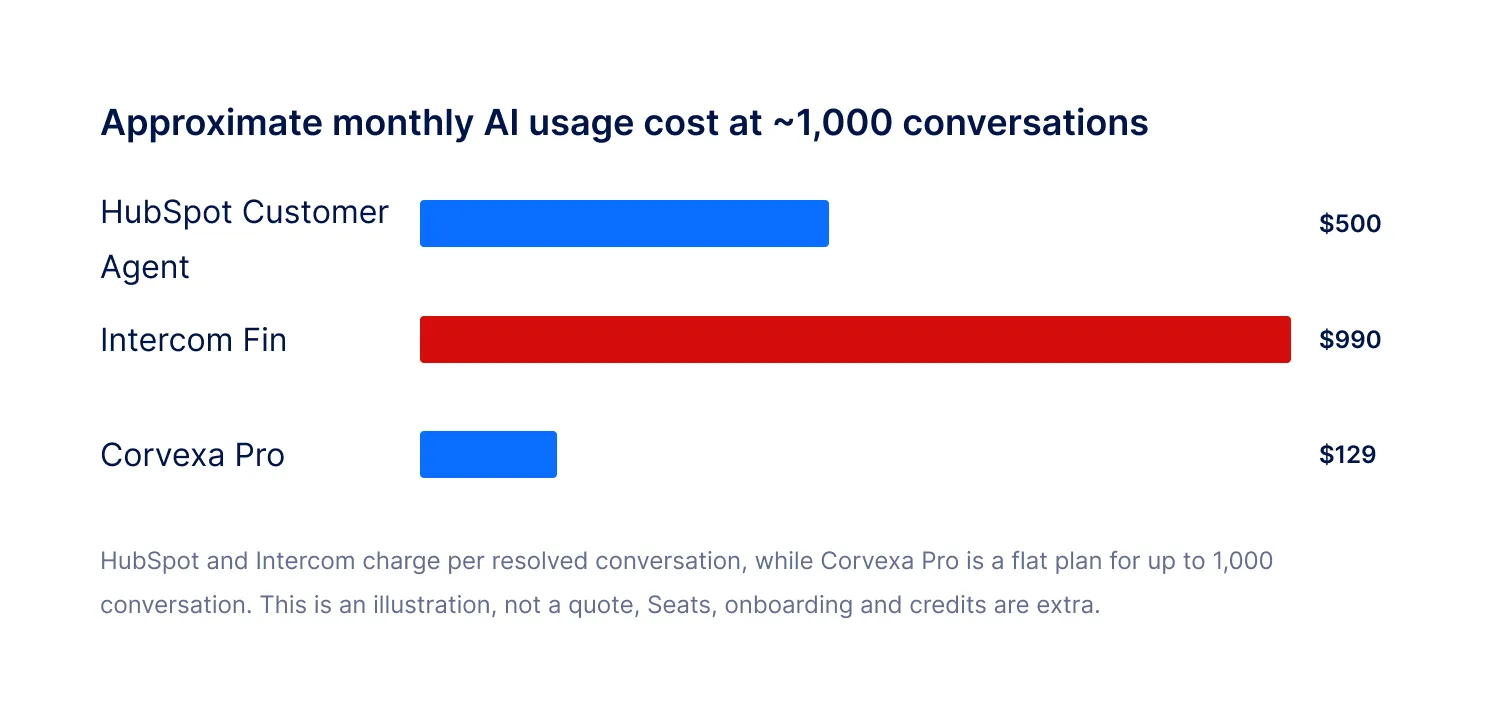
The lesson: ask every vendor what you will pay at 1,000, 5,000, and 10,000 conversations. Also ask what counts as a “resolution” and whether seats, credits, and onboarding are extra.
This is the biggest gap between a scripted bot and an intent-based one. A scripted bot asks everyone the same questions in the same order. An intent-based agent reads what each visitor says and does, then changes its next move.
A scripted bot
Visitor: “How much is it for 20 users?” Bot: “Please choose one of these options: Sales, Support, Other.” The buyer just showed a clear signal, and the bot ignored it.
An intent-based agent
Visitor: “How much is it for 20 users?” Agent: answers with pricing, asks about their timeline, then offers a demo. It also scores the lead as High and alerts your team.
The AI chatbot alternatives to HubSpot that win on lead generation are the ones that do the second thing. Ask every vendor to show this exact scenario live.
Results vary, but real stories show what is possible when a chatbot is built for qualification. In our case studies, a corporate travel platform said its demo form brought only 3 submissions a month, and that it reached 15 deals in a quarter after adding Corvexa. Another SaaS team described 40,000 monthly visitors but only 12 qualified leads before making a change.
The pattern is the same each time. Buyers were on the site, but nothing started the conversation. Please treat these as individual stories, not guarantees.
Can you use HubSpot and a chatbot alternative together?
Yes, and many teams do. HubSpot stays as your CRM, email, and reporting hub. The new chatbot handles the website conversation and sends scored leads into HubSpot. You keep your data in one place and upgrade only the part that was weak.
You do not have to rebuild everything. Follow this path.
List what your current bot does: Note the pages it appears on, the questions it asks, and where leads go.
Define a qualified lead: Write down your ideal customer, budget signals, and disqualifiers with sales and marketing.
Connect your CRM: Keep HubSpot if you like it. Link the new tool with your Portal ID and Form ID or an API key.
Train and test: Let the tool learn from your site and PDFs. Ask it ten real buyer questions before launch.
Launch on key pages first: Start with pricing and product pages. Review chats weekly and improve.
Choosing on price alone
The cheapest plan can cost more if leads go unscored and your team wastes hours. Compare cost per qualified lead.
Skipping the handoff test
Ask to see how a human takes over a chat and what context the rep gets. A poor handoff loses deals.
Ignoring privacy
Check that the tool tells visitors they are talking to AI, stores data safely, and meets the rules in your region.
Buying more than you need
An enterprise tool built for a large SDR team can be too much for a five-person sales team. Start with what you can run well.
A good demo shows the tool working on your business, not a canned example. Bring these questions.
“Can you show it using my website?”
The best vendors will train the tool on your pages and let you test it. If they cannot, you are buying a promise.
“How do you decide a lead is high intent?”
Look for clear answers about signals, hot keywords, and scoring. Vague answers about “AI magic” are a warning sign.
“What does it cost when my traffic doubles?”
Ask for a written example. Per-resolution, per-seat, and credit-based pricing can behave very differently at scale.
“Who helps me set it up?”
Tools work best when someone helps define your buyers and rules. Corvexa starts with an onboarding call about your buyers, competitors and qualification rules, and it is included with every plan.
“What happens when a buyer wants a person?”
Check how a rep takes over, and whether they see the full chat. A smooth handoff turns a chat into a meeting.
There is no single winner. If you are all-in on HubSpot and mainly answer support questions, its own chatbot may be enough. If you want a chatbot like HubSpot but focused on finding and scoring buyers, an intent-based tool is a better fit.
For most B2B teams, the best HubSpot chatbot alternatives are the ones that turn visits into scored leads and keep your CRM in the loop. Test two tools on real traffic and let the numbers decide. Want to see proof first? Read our customer case studies.
Sources
HubSpot, “Customer Agent and Prospecting Agent: Now you pay when the task is complete”:hubspot.com
Voiceflow, “HubSpot Chatbot 2026: Breeze AI, Pricing & Best Alternatives”:voiceflow.com
Gleap, “Intercom Fin AI Pricing Explained”:gleap.io
Qualified, “Salesforce Signs Definitive Agreement to Acquire Qualified”:qualified.com
Naoma, “Qualified vs Drift in 2026” (reporting on the Drift sunset):naoma.ai
Corvexa product facts:Pricing,Integrations,Features andDocumentation.
Vendor pricing changes often. Please confirm current prices with each vendor before you buy.
| Written by the Corvexa Team. Our team has hands-on experience building and deploying AI lead capture and qualification for B2B websites across SaaS, fintech, logistics, healthcare tech and professional services. About Corvexa |

FAQ
The strongest options depend on your setup. Corvexa suits B2B teams that want intent detection and lead scoring on any website. Intercom Fin suits support-heavy teams. Qualified suits large Salesforce-based teams with SDRs.
HubSpot itself offers a free rule-based chatbot builder. Most AI chatbots that qualify leads are paid, so compare what you get for the price, not only the headline cost.
Yes. Many teams keep HubSpot as their CRM and replace only the chatbot. Corvexa connects to HubSpot with your Portal ID and Form ID, so qualified leads land in the right fields.
Common reasons are that the AI agent needs a higher-tier plan plus credits, that it works best when HubSpot is your only system, and that it is built more for support than for sales qualification.
Not usually. Corvexa installs with a single script tag and can go live within 48 hours of your onboarding call. Enterprise tools like Qualified take longer and need more configuration.
Reports say Clari and Salesloft announced a gradual sunset of Drift on March 6, 2026. If you are choosing a new tool, it is safer to pick an actively developed product.
Look at total cost: plan, seats, AI usage fees, onboarding, and admin time. Then divide by the number of qualified leads or meetings booked to get a fair cost per result.
 The Best HubSpot Chatbot Alternatives for B2B Lead Generation
It’s 11:47 PM. Someone is on your website. They’ve read your services, checked your pricing, and they’re seriously considering reaching...

Getting traffic to your website is no longer the biggest challenge. The real challenge is turning that traffic into actual...
A practical, evidence-based look at how AI chatbots for lead generation actually work, what they cost, and the specific things...